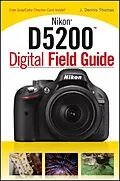
Everything you need to know in order to take amazing photoswith your Nikon D5200 As one of Nikon's most advanced cameras offered in theentry-level line of dSLRs, the Nikon D5200 boasts a smarter systemfor focusing and tracking moving subjects as well as a sharpersensor for capturing finely detailed images. This handy, portablefield guide is filled with everything you want and need to know inorder to take memorable photos with your Nikon D5200. Packed withfull-color photos, this resource walks you through the camera'scontrols, features, and functions using step-by-step instructionsalong with color images of each menu screen. * Details how to use the features, functions, and menu system ofthe Nikon D5200 * Teaches you how, when, and why you should adjust white balance,autofocus, exposure, lenses * Goes beyond camera settings to offer you a refresher guide tothe principles of digital photography by covering the essentials oflighting, composition, and exposure * Features helpful examples along with a variety of tips andtricks to capturing portraits, candids, sports, travel, macrophotography, and more * Includes a grey and color checker card to help you captureperfect color in any setting With so much helpful advice for getting the most out of yourNikon D5200, you'll be referencing this guide again and again.
Autorentext
J. Dennis Thomas is a freelance photographer and author with more than 25 years of experience behind Nikon cameras. He has written 20 Nikon Digital Field Guides as well as numerous articles for Digital Photo magazine, and maintains a blog for Nikon users at http://nikondfg.com.
Klappentext
Master your Nikon D5200 and free your creativity
Make the most of every advanced feature your D5200 has to offer. This handy, go-everywhere guide explains the camera from a photographer's point of view, showing you how to set up your D5200 and use its features in dozens of real-life situations. Master the various scene modes. Learn in-camera editing tricks. Explore the D5200's videography features. Packed with professional tips, this book is the perfect partner for your Nikon D5200.
- Explore your camera, set it up, and learn to use all of the controls
- Learn how to use the modes that control exposure, metering, focus, and 19 different scene settings
- Discover how lenses, filters, and other accessories can enhance your D5200
- Learn how to work with light and exposure, and get great shots of nature, concerts, people, products, and night scenes
Inside your free gray and color checker card to help you achieve accurate white balance and color
Zusammenfassung
Everything you need to know in order to take amazing photos with your Nikon D5200
As one of Nikon's most advanced cameras offered in the entry-level line of dSLRs, the Nikon D5200 boasts a smarter system for focusing and tracking moving subjects as well as a sharper sensor for capturing finely detailed images. This handy, portable field guide is filled with everything you want and need to know in order to take memorable photos with your Nikon D5200. Packed with full-color photos, this resource walks you through the camera's controls, features, and functions using step-by-step instructions along with color images of each menu screen.
- Details how to use the features, functions, and menu system of the Nikon D5200
- Teaches you how, when, and why you should adjust white balance, autofocus, exposure, lenses
- Goes beyond camera settings to offer you a refresher guide to the principles of digital photography by covering the essentials of lighting, composition, and exposure
- Features helpful examples along with a variety of tips and tricks to capturing portraits, candids, sports, travel, macro photography, and more
- Includes a grey and color checker card to help you capture perfect color in any setting
With so much helpful advice for getting the most out of your Nikon D5200, you'll be referencing this guide again and again.
Inhalt
Introduction xxi
Quick Tour 1
Getting Started 2
Mounting the Lens 2
Setting the Shooting Mode 3
Focusing 4
Viewing Your Images 4
CHAPTER 1
Exploring the Nikon D5200 7
Key Components of the D5200 8
The top of the camera 8
The back of the camera 11
The front of the camera 14
The left side of the camera 15
The right side of the camera 18
The Viewfi nder Display 18
The Information Display 22
CHAPTER 2
Nikon D5200 Essentials 29
Exposure Modes 30
Automatic modes 30
Programmed auto mode 31
Aperture-priority auto mode 32
Shutter-priority auto mode 33
Manual mode 35
Scene Modes 36
Special Effects modes 42
Night Vision mode 43
Color Sketch mode 43
Miniature Effect mode 44
Selective Color mode 45
Silhouette mode 46
High Key 46
Low Key 46
Metering Modes 47
Matrix metering mode 47
Center-weighted metering mode 49
Spot metering mode 49
Autofocus 50
Phase detection 50
Contrast detection 51
Focus Modes 51
Auto Servo AF mode 52
Continuous Servo AF mode 52
Single Servo AF mode 52
Manual focus mode 53
Autofocus Area Modes 53
Auto area AF mode 54
Single-point AF mode 54
Dynamic-area AF mode 54
Release Modes 56
ISO Sensitivity 57
Auto ISO 58
Noise reduction 59
Long exposure Noise Reduction 59
High ISO Noise Reduction 60
White Balance 61
The Kelvin scale 61
White balance settings 61
Picture Controls 63
File Formats, Size, and Compression 71
NEF (RAW) 71
JPEG 72
Image size 73
Image quality 74
CHAPTER 3
Setting up the Nikon D5200 77
The Playback Menu 78
Delete 78
Playback folder 79
Playback display options 79
Image review 80
Rotate tall 81
Slide show 81
DPOF print order 82
The Shooting Menu 83
Reset shooting menu 83
Storage folder 83
Image quality 84
Image size 85
White balance 85
Using white balance settings 86
Preset manual white balance 87
Set Picture Control 88
Manage Picture Control 88
Auto distortion control 90
Color space 90
Active D-Lighting 91
High Dynamic Range 91
Long Exposure NR 92
High ISO NR 92
ISO sensitivity settings 93
Release mode 93
Multiple exposure 93
Interval timer shooting 94
Movie settings 95
The Custom Setting Menu 96
Reset custom settings 96
Custom Setting menu a: Autofocus 96
Custom Setting menu b: Exposure 98
Custom Setting menu c: Timers/AE lock 98
Custom Setting menu d: Shooting/display 99
Custom Setting menu e: Bracketing/flash 100
Custom Setting menu f: Controls 101
f1: Assign Fn button 101
f2: Assign AE-L/AF-L button 102
f3: Reverse dial rotation 102
f4: Slot empty release lock 103
f5: Reverse indicators 103
The Setup Menu 103
Format memory card 103
Monitor brightness 104
Info display format 104
Auto info display 105
Clean image sensor 105
Lock mirror up for cleaning 106
Image Dust Off ref photo 107
Video mode 107
HDMI 107
Flicker reduction 108
Time zone and date 108
Language 109
Image comment 109
Auto image rotation 109
Accessory terminal 109
Eye-Fi upload 110
Wireless mobile adapter 110
Firmware version 110
The Retouch Menu 110
D-Lightin…