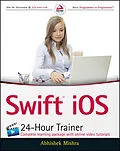
Jump into the app development world with confidence! iOS Swift 24-Hour Trainer combines book and video lessons in Apple's Swift programming language to prepare you to build iPhone and iPad apps--and distribute them through the Appstore. First, this approachable text covers the fundamentals of Swift by introducing you to iOS development in this language, and presenting best practices for setting up a development environment and using variables, statements, expressions, operators, functions, and closures. Next, you explore common tasks, such as alert views, table views, and collection views. You then deepen your knowledge of Swift by considering network programming and local data storage. Finally, this engaging resource dives into slightly more advanced concepts, such as tab bars, web views, the accelerometer, camera, photo library, Google maps, and core location. Swift was designed by Apple to incorporate modern scripting features while offering simpler, cleaner syntax than Objective-C to maintain a minimal and easy to read style. This more expressive code offers numerous key features, such as closures unified with function pointers, tuples and multiple value returns, generics, and functional programming patterns. * Learn how to obtain a device UDID * Test your applications on an actual device, so you can see your work in action * Distribute your applications outside of the App store, allowing you to test your work with real users * Review common reasons why apps are rejected by Apple to strengthen your case when submitting your apps for distribution iOS Swift 24-Hour Trainer is an essential guide to Apple's Swift programming language for beginning programmers.
Autorentext
Abhishek Mishra has been developing software for over 18 years and has experience with a diverse set of programming languages and platforms. He is the author of "iPhone and iPad App 24-Hour Trainer" and the technical reviewer of "Professional iOS Programming." He holds a Master's degree in Computer Science from the University of London and is a freelance consultant and trainer specializing in mobile application development.
Wrox guides are crafted to make learning programming languages and technologies easier than you think. Written by programmers for programmers, they provide a structured, tutorial format that will guide you through all the techniques involved.
Klappentext
Jump into the app development world with confidence!
iOS Swift 24-Hour Trainer combines book and video lessons in Apple's Swift programming language to prepare you to build iPhone and iPad apps--and distribute them through the Appstore. First, this approachable text covers the fundamentals of Swift by introducing you to iOS development in this language, and presenting best practices for setting up a development environment and using variables, statements, expressions, operators, functions, and closures. Next, you explore common tasks, such as alert views, table views, and collection views. You then deepen your knowledge of Swift by considering network programming and local data storage. Finally, this engaging resource dives into slightly more advanced concepts, such as tab bars, web views, the accelerometer, camera, photo library, Google maps, and core location.
Swift was designed by Apple to incorporate modern scripting features while offering simpler, cleaner syntax than Objective-C to maintain a minimal and easy to read style. This more expressive code offers numerous key features, such as closures unified with function pointers, tuples and multiple value returns, generics, and functional programming patterns.
* Learn how to obtain a device UDID
* Test your applications on an actual device, so you can see your work in action
* Distribute your applications outside of the App store, allowing you to test your work with real users
* Review common reasons why apps are rejected by Apple to strengthen your case when submitting your apps for distribution
iOS Swift 24-Hour Trainer is an essential guide to Apple's Swift programming language for beginning programmers.
Zusammenfassung
Jump into the app development world with confidence!
iOS Swift 24-Hour Trainer combines book and video lessons in Apple's Swift programming language to prepare you to build iPhone and iPad appsand distribute them through the Appstore. First, this approachable text covers the fundamentals of Swift by introducing you to iOS development in this language, and presenting best practices for setting up a development environment and using variables, statements, expressions, operators, functions, and closures. Next, you explore common tasks, such as alert views, table views, and collection views. You then deepen your knowledge of Swift by considering network programming and local data storage. Finally, this engaging resource dives into slightly more advanced concepts, such as tab bars, web views, the accelerometer, camera, photo library, Google maps, and core location.
Swift was designed by Apple to incorporate modern scripting features while offering simpler, cleaner syntax than Objective-C to maintain a minimal and easy to read style. This more expressive code offers numerous key features, such as closures unified with function pointers, tuples and multiple value returns, generics, and functional programming patterns.
- Learn how to obtain a device UDID
- Test your applications on an actual device, so you can see your work in action
- Distribute your applications outside of the App store, allowing you to test your work with real users
- Review common reasons why apps are rejected by Apple to strengthen your case when submitting your apps for distribution
iOS Swift 24-Hour Trainer is an essential guide to Apple's Swift programming language for beginning programmers.
Inhalt
INTRODUCTION xxiii
SECTION I: HELLO iOS!
LESSON 1: HELLO iOS! 3
iOS Developer Essentials 3
A Suitable Mac 3
A Device for Testing 4
An iOS Developer Account 4
The Offi cial iOS SDK 6
The Typical App Development Process 6
Wireframes and Design 8
Coding 8
Testing 8
Home Screen Icon 9
Application Launch Image 10
Try It 11
Lesson Requirements 11
Hints 11
Step-by-Step 11
LESSON 2: A TOUR OF XCODE AND THE iOS SIMULATOR 19
The Welcome Screen 19
Creating a New Project 20
An Overview of the Xcode IDE 22
The Navigator Area 22
The Editor Area 26
The Utilities Area 28
The Debugger Area 30
The Toolbar 30
Features of the iOS Simulator 31
Installing and Uninstalling Applications 32
Limitations of the iOS Simulator 33
Try It 33
Lesson Requirements 33
Hints 33
Step-by-Step 33
LESSON 3: INTRODUCING SWIFT 35
Introducing Xcode Playgrounds 35
Constants and Variables 37
Data Types 38
Comments 39
Strings 39
Tuples 40
Optionals 41
Control Flow Statements 42
if-else 42
switch-case 44
Loops 45
Control Transfer Statements 49
Try It 50
Lesson Requirements 50
Hints 50
Step-by-Step 50
LESSON 4: FUNCTIONS 53
Declaring Functions 53
Parameters and Return Values 53
Try It 55
Lesson Requirements 55
Hints 55
Step-by-Step 55
LESSON 5: CLOSURES 57
Function Types 57
Closure Types 58
Global Closures 58
Nested Closures 58
Closure Expressions 59
Try It 60
Lesson Requirements 60
Hints 60
Step-by-Step 60
LESSON 6: ERROR HANDLING 63
The ErrorType Protocol 63
Throwing an…