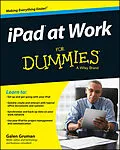
Get the most out of using your iPad at work
iPad at Work For Dummies provides essential and in-depth
coverage for a variety of productivity-related tasks made possible
on the iPad, from basics such as setting up and starting out with
an iPad to tips on the best practices for enterprise-level word
processing, spreadsheet creation, presenting, task management,
project management, graphic design, and communication. Beyond that,
it also includes down-to-earth examples of how to use an iPad at
work, including synchronization, data backup, and communicating
with Windows networks.
Written by an experienced and well-known iPad user, writer,
podcaster, and lecturer who has taught many other professionals how
to get the most from their Apple devices in the workplace, iPad
at Work For Dummies goes beyond simple coverage of iWork to
show you step-by-step the iPad's capabilities to quickly,
professionally, and effectively create and interact with typical
office documents and systems.
* Covers the best software and practices for productively
integrating the iPad into a work environment
* Shows you how the iPad goes beyond use as an at-home device to
make work easier
* Includes examples that bring the information and instructions
to life
If you're considering integrating the use of an iPad at work, or
have recently begun and want to grasp the full spectrum of its
capabilities in the workplace, iPad at Work For Dummies has
you covered.
Autorentext
Galen Gruman has written more than 30 books on Mac OS X, the iPad, Windows 8, and desktop publishing software. Gruman writes the mobile and consumerization columns for InfoWorld, and he was a pioneer in the use of personal computing and desktop publishing technologies in the mid-1980s.
Zusammenfassung
Get the most out of using your iPad at work
iPad at Work For Dummies provides essential and in-depth coverage for a variety of productivity-related tasks made possible on the iPad, from basics such as setting up and starting out with an iPad to tips on the best practices for enterprise-level word processing, spreadsheet creation, presenting, task management, project management, graphic design, and communication. Beyond that, it also includes down-to-earth examples of how to use an iPad at work, including synchronization, data backup, and communicating with Windows networks.
Written by an experienced and well-known iPad user, writer, podcaster, and lecturer who has taught many other professionals how to get the most from their Apple devices in the workplace, iPad at Work For Dummies goes beyond simple coverage of iWork to show you step-by-step the iPad's capabilities to quickly, professionally, and effectively create and interact with typical office documents and systems.
- Covers the best software and practices for productively integrating the iPad into a work environment
- Shows you how the iPad goes beyond use as an at-home device to make work easier
- Includes examples that bring the information and instructions to life
If you're considering integrating the use of an iPad at work, or have recently begun and want to grasp the full spectrum of its capabilities in the workplace, iPad at Work For Dummies has you covered.
Inhalt
Introduction 1
Part I: Getting Started with iPad at Work 5
Chapter 1: The iPad Is Your New Computer Much of the Time 7
Chapter 2: Setting Up Your Own iPad for Work 15
Chapter 3: Ensuring Your iPad's Security 25
Chapter 4: Outfitting Your iPad for Travel 43
Part II: Gearing Up for Productivity 63
Chapter 5: Engaging Apple iWork: Pages, Numbers, and Keynote 65
Chapter 6: Opting for Microsoft Office 365: Word, Excel, and PowerPoint 99
Chapter 7: Looking to Google Apps: Docs, Sheets, and Slides 133
Chapter 8: Getting Productive with Alternative Writing Tools 145
Chapter 9: Taking Notes 157
Chapter 10: Tackling Tasks and To?]Dos 177
Chapter 11: Outlining and Brainstorming 199
Part III: Collaborating and Communicating 217
Chapter 12: Wrangling Email, Contacts, and Calendars 219
Chapter 13: Messaging and Conferencing 259
Part IV: Accessing Online Resources 279
Chapter 14: Remotely Accessing Your Computer 281
Chapter 15: Exploring Web Browsers 295
Part V: Structuring and Sharing Documents 303
Chapter 16: Exploiting Cloud Storage 305
Chapter 17: Syncing and Sharing Files 319
Chapter 18: Working with PDFs and ePubs 335
Chapter 19: Giving Presentations 353
Chapter 20: Dealing with Graphics and Drawings 367
Part VI: The Part of Tens 383
Chapter 21: Ten Useful Utilities 385
Chapter 22: Specialty Apps for Ten Industries 397
Index 405