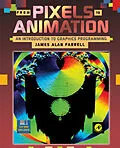
From Pixels to Animation: An Introduction to Graphics Programming deals with the C programming language, particularly for the Borland C and Microsoft C languages. The book reviews the basics of graphics programming, including graphics hardware, graphs, charts, changing colors, 3D graphics, high level functions provided by Borland and Microsoft C. The text also explains low-level graphics, getting around the limitations of standard, graphics libraries, SVGA programming, and creating graphics functions. Advanced topics include linear transformations, ray tracing, and fractals. The book explains in detail the aspect ratio of pixels (length of the pixel dot divided by its width), pixel colors, line styles, and the functions to create the graphic. The text also describes the presentation of a three-dimensional object by using perspective, shading, and texturing. Between the operating system, which carries out the instruction of the program, and the hardware, which displays the output of the program, is the Basic Input/Output Services (BIOS). The BIOS is a set of routine instruction inside the different parts or hardware devices in the computer. The book explains programing animation effects by utilizing routines provided by Microsoft or Borland. The text also notes that a programmer can create good animation effects by directly addressing the graphics adapter, bypassing the BIOS or the high-level routines created by Microsoft or Borland. The book is suitable for beginning programmers, computer science, operators, animators, and artists involved with computer aided designs.
Inhalt
Preface
Chapter 1 Graphics Displays
Overview
The Basic Monochrome Monitor
Pixels and the Frame Buffer
Other Things that are Good to Know
A More Advanced Monochrome Monitor
Dot Pitch
Color Monitors
Color Mixing
Additive and Subtractive Color Mixing
How Color Monitors Work
Color Palettes and the Color Frame Buffer
IBM PC Monitors
The Hercules Monitor
The CGA Monitor
The EGA Monitor
The MCGA Monitor
The VGA Monitor
SVGA Monitors
Chapter 2 The Borland Graphics Interface
Setting Up to do Graphics
Initgraph( ) and Detectgraph( )
Graphresult( ) and Grapherrormsg( )
Getgraphmode( ), Setgraphmode( )
Closegraph( )
Graphics Primitives
Pixels and Putpixel( )
Getmaxx( ), Getmaxy( ) and Getmaxcolor( )
Cleardevice( )
Lines
Lineto( ), Linerel( ), Moveto( ), Moverel( )
Circles, Ellipses, Arcs, and Sectors
Drawpoly( ) and Rectangle( )
More Advanced Primitives
Line Styles
Filling Things: Fillpoly( ), Fillellipse( ), Floodfill( )
Changing Fill Styles and the Fill Color
Linking .BGI Files into a Program
BGIOBJ.EXE
Methods of Linking
Chapter 3 Text in Graphics Modes
Fonts
Borland Supplied Fonts
Bitmapped
Triplex
Small
SanSerif
Gothic
Creating New Fonts
Creating a Bitmapped Font
Creating a Stroked Font
Chapter 4 Microsoft C Graphics
Setting Up to do Graphics
_Setvideomode( ) and _Getvideoconfig( )
Graphics Primitives
_Setpixel( ), _Setcolor( )
Viewports and Windows
_Clearscreen( )
Drawing Lines
Drawing Circles, Ellipses, Arcs, and Pie Slices
Drawing Rectangles and Polygons
Patterned Lines
Filling Shapes
Text in Graphics Mode
Registering Fonts
Setting the Current Font
Writing Text in Graphics Mode
Chapter 5 Graphs and Charts
Graphing Data
Cartesian Coordinates
Polar Coordinates
Drawing Charts
Bar Charts
Pie Charts
Chapter 6 Color Models and Programming Colors
Color Mixing and Color Models
The CMY and RGB Color Models
Other Color Models
Changing the Palette
The VGA Monitor
Half-Toning and Dithering
Dithering
Half-Toning
Programming the CGA
Chapter 7 Three-Dimensional Graphics
Perspective
Projecting a 3D Image Onto a 2D Screen
Single Vanishing Point Perspective
Double Vanishing Point Perspective
Shading
Texturing
Texturing and Reflection
Texturing and Perspective
Chapter 8 The BIOS Graphics Interface
DOS and BIOS
Layers of DOS
Communicating with DOS and BIOS
BIOS Interrupt 0x10 Graphics Services
Setting Pixels Using BIOS
Clearing the Screen using BIOS
Changing Color Palettes Using BIOS
Chapter 9 SVGA Programming
VESA
SVGA Graphics Modes
SVGA BIOS Interrupts
SVGA BIOS Service 0x00-Return SVGA Information
SVGA BIOS Service 0x01-Return Mode Information
SVGA BIOS Service 0x02-Setting the Video Mode
Plotting Pixels on SVGA Monitors
The SVGA Library
Functions in SVGALib
Inside SVGALib
Global Variables
SVGALib Functions
Chapter 10 Creating Your Own Graphics Primitives
Drawing Lines
The Obvious Method
Bresenham's Method
Drawing Circles
Drawing Ellipses
Drawing Arcs
Chapter 11 Filling Primitives
SVGA_Set_Fil_Pattern( )
The Fill_Line( ) Function
SVGA_Fill_Rectangle( ) and SVGA_Fill_Ellipse( )
SVGA_Floodfill( )
SVGA_Polyfill( )
Chapter 12 Animation
Simple Animation
Using Getimage( ) and Putimage( ) for Animation
Using Paging
Animation by Manipulating Colors
Chapter 13 Linear Transformations in Computer Graphics
Matrices for C Programmers
Linear Transformations in Graphics
An Example: Rotating an Ellipse
Other Transformations
Translation
Rotation with a 3 x 3 Matrix
Scaling
Shear in X
Shear in Y
Mirror Across the X Axis
Mirror Across the Y Axis
Mirror Across Both Axes
Miscellaneous
Chapter 14 Ray Tracing
Theory of Ray Tracing
Tracing a Ray in Two Dimensions
3D Cartesian Geometry
3D Coordinate Space
Lines in 3 Dimensions
Surfaces in 3 Dimensions
Ellipses in 3 Dimensions
Refraction
Ray Tracing in 3 Dimensions
Representing a 3D World in the Computer
Practical Concerns
Other Suggestions
Chapter 15 Fractals
The History of Fractals
Problems with Conventional Math
Fractional Dimensions
Cellular Automata
Chaos
The Mandelbrot Set
Fractals
Practical Fractals
A Simplified Symmetric Tree
A Less Simplified Asymmetric Tree
A Surprisingly Realistic Tree
A Windblown Tree
Other Shapes
How Fractals Mode…