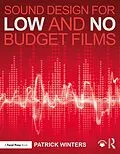
Don't let your indie film be sabotaged by bad sound! One of the weakest technical aspects of a low or no budget short or feature film is usually the sound, and in Sound Design for Low and No Budget Films, author Patrick Winters explains what filmmakers need to do to fix that. Learn how to improve the sound quality of your low budget film with specific tools and practices for achieving a better sound track, including detailed, step-by-step explanations of how to edit your production track, create a sound design, record and edit ADR, Foley and sound effects, music, and much more. Focusing on the essential details indie filmmakers need to know, Winters teaches you how to turn a thin and distracting sound track into one that makes your film shine.
This practical guide offers:
. In-depth focus on hands-on, step-by-step instruction for achieving great sound in post-production, including recording and editing sound effects, ADR and Foley-even without expensive equipment and software.
. Techniques specifically designed for low and no budget projects, perfect for both students and aspiring indie filmmakers.
. A simple and direct style that any aspiring filmmaker or student can understand without already knowing the industry jargon.
Autorentext
Patrick Winters has been working in sound design for 30 years and teaching sound design for 12 years. He has personal experience working on major motion pictures as well as creating his own short films, stretching minimal budgets to get the best sound tracks possible.
Inhalt
Table of Contents
Preface
Acknowledgments
1. Introduction
- Purpose
- Sound Definition
- Sound's Abilities
- Sound Supervisor
- Contracts, Agreements and Licenses
2. Location Sound: How Was That for Sound?
Common MistakesSingle SystemDouble SystemTimecodeSmart SlateBoom and LavaliereWired and WirelessWide Shots and Close-UpsTwo-plus Camera Set-UpExerciseSample Sound Report Form3. Sound Design
DefinedIntroductionMovie ExamplesRecordingCreatingEditing and ProcessingMixingExercises4. Dialogue Editing: It's Work, Not Magic
IntroductionPicture LockCollecting MaterialsFile ManagementThe ProcessCleaningSmoothingEditingSplit TracksRoom ToneFixing IssuesProcessingExercise5. ADR: What Did They Say?
IntroductionSpottingMicrophonesWorking with ActorsProduction ADR RecordingPost-Production ADR RecordingEditingExerciseADR Cue Sheet Form6. Walla/Group /Loop Group/Group ADR/Rhubarb: Why Can't I Hear Them?
IntroductionGroup LeadersResearch and ScriptingWallaSpecificsCalloutsEffortsScreamsPerformingRecordingEditingResourcesExercise7. Narration: It Isn't Dialogue
IntroductionPurposesPre-ProductionRecordingEditingProcessingExercise8. Sound Effects: Creating Reality
Sound Effect FunctionsTypes of Sound EffectsThe Grey Area (Foley and Sound Effects)Production Sound EffectsLocation Sound EffectsCustom-Recorded Sound EffectsFoley Sound EffectsLibrary Sound EffectsSpottingCreatingRecordingEditingProcessingExercise9. Foley: Who or What is Foley?
Foley HistoryOverviewSpotting and CueingSynchronized RecordingMicrophonesPerformanceMoves or ClothSpecifics or PropsPats and GrabsFootstepsLibrariesEditingSound Effect ResourcesExercise10. Backgrounds: What's an Ambience, Atmosphere or Background?
- Introduction
- Spotting
- Production Sound
- Room Tone
- Recording
- Library
- Editing
- Layering
- Processing
- Exercise
11. Musical Score: In The Mood?
IntroductionMaking NotesSpotting SessionCuesHits or Hit PointsTempo MapClick Tracks and Guide TracksTemp ScoresMusic SoftwareScoringTheme and MotifTitles, Montage and CreditsComposing, Arranging, Orchestrating and InstrumentationRecording Performance (Tracking)Digital MusicGarageBandSong Score, Pop Music and Source MusicCue PackagesBandsMusicalsLibrary Music: Hard Drives, CD's and DownloadsEditingStemsMixingDeliverablesExercise12. Mixing Myself Preparation
IntroductionPreparing Your Mixing RoomReference Levels Room Monitor CalibrationNLE or DAWMixing In-The-Box By MyselfSession Set-UpStereo, LCR or Surround?13. Pre-Mixing or Predubbing and DSP
IntroductionMixing PreparationTrack LayoutVirtual MixingMix ToolsLevelsGain StagingFadesPanningConstant Gain or Constant PowerEqualizationCompressionNormalizingNoise GateExpansionExciterDe-EsserNoise ReductionReverberation and DelaysDe-VerberationEffects and FiltersLimiterPremixingBuses, Auxes, Sends and ReturnsVCA FadersMaster FaderMeteringTwo Pops and Tail PopsDialogue and ADR PreMixFoley PremixSound Effects PremixDesign Effects PremixBackgrounds PremixMusic PremixTemp Mix14. Mixing Myself
IntroductionSet-UpGetting StartedDialogue FirstADRSound EffectsAmbiencesFoleyMusicDME Stems and M&EMaster OutputQuick and Dirty Mix15. Studio Mix
IntroductionMixer InterviewMix PreparationPremixesStemsMixingRun ThroughDialogue MixingSound Effects MixingFoley MixingAmbience MixingMusic Mixing16. Deliverables
IntroductionFilmDCPDVD/Blu-RayStreamingBroadcast TelevisionMarketingArchiving17. Summary
Clean Production SoundCreating Sound DesignMixingConclusionInternet ResourcesGlossary
Bibliography
Index